
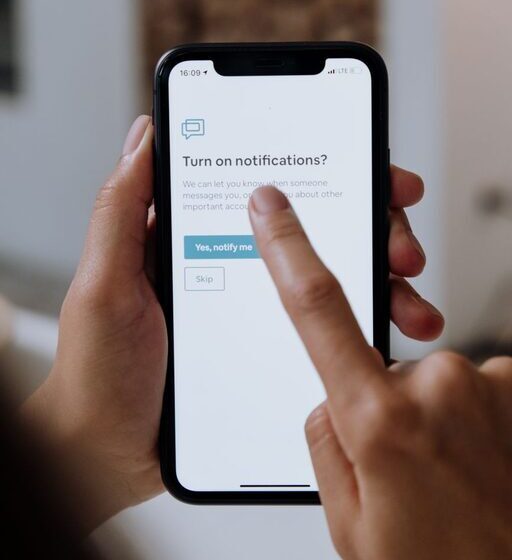

In today’s digital world, notifications are constant companions on our phones, computers, and tablets. While they help us stay informed, they can also become overwhelming, disrupting our focus and increasing stress. Setting clear boundaries with notifications is essential to maintain productivity and protect your well-being. This post offers practical tips on how to manage notifications effectively without missing out on important updates.
Why Set Boundaries with Notifications?
Notifications are designed to grab our attention, but they can interrupt deep work, conversations, or downtime. When you receive frequent alerts, your brain gets pulled away from tasks, making it harder to concentrate or relax. By setting boundaries, you create space for focused work, rest, and meaningful interactions.
Understanding Your Notification Habits
Before making any changes, it helps to understand your current notification patterns:
– Identify which apps generate the most notifications. Are they mostly social media, email, messaging, or news apps?
– Notice how you respond. Do you check your phone immediately, or ignore most alerts?
– Assess how notifications affect you. Are they helpful reminders, or sources of distraction and anxiety?
Knowing these details helps you prioritize which notifications to keep and which to silence.
Tips for Managing Notifications
1. Customize Notification Settings by App
Most smartphones and computers let you control notification preferences on a per-app basis. Use this feature to:
– Turn off non-essential alerts. For example, disable notifications from apps you use occasionally or have non-urgent updates.
– Switch to silent or banner-only alerts. Some apps allow less intrusive notifications that don’t interrupt your workflow.
– Limit notification frequency. Choose settings like “summary” or “digest” where available, so you get grouped updates instead of constant pings.
2. Use Do Not Disturb and Focus Modes
Modern devices offer modes that temporarily block notifications:
– Schedule Do Not Disturb (DND) times. Set DND during meetings, work sessions, or sleep hours to avoid interruptions.
– Use Focus modes tailored to activities. For instance, create a “Work” mode that blocks social media but allows emails and calls.
– Allow exceptions for important contacts or apps. Ensure urgent messages still come through when necessary.
3. Declutter Your Home Screen and Notification Center
A cluttered notification area increases the chance of distractions:
– Clear out outdated or low-priority notifications regularly.
– Remove widgets or apps that encourage constant checking.
– Group related notifications to keep things tidy.
4. Set Clear Boundaries for Checking Notifications
Be intentional about when and how you check alerts:
– Designate specific times to review messages and emails instead of reacting instantly.
– Turn off visual or audible cues that prompt you to check your device outside these times.
– Use “airplane mode” or physically put devices away during focused periods or social interactions.
5. Communicate Your Notification Preferences
Clear communication helps others respect your boundaries:
– Let colleagues and family know your preferred contact methods and times.
– Use status messages or automated replies to explain when you’re unavailable.
– Encourage the use of priority channels for urgent matters.
6. Regularly Review and Adjust Your Settings
Notification needs evolve, so revisiting your settings helps you stay balanced:
– Check your notification history weekly or monthly to spot problem areas.
– Experiment with different configurations to find what works best.
– Stay updated on new device features designed to aid notification management.
Benefits of Setting Notification Boundaries
When you manage notifications effectively, you can expect:
– Improved concentration and productivity.
– Less stress and mental fatigue.
– Better work-life balance and more quality time with loved ones.
– Increased awareness of when to engage and when to disconnect.
Final Thoughts
Notifications are helpful tools, but they require mindful management. Establishing clear boundaries with your alerts allows you to stay connected on your terms while protecting your focus and peace of mind. Start with small changes, customize your device’s features, and communicate openly about your needs. Over time, these habits will support a healthier and more balanced digital lifestyle.